Measure Rebuild Match

Your site,
rebuilt in
Shopify.

Manasites turns your AI-built website into an editable Shopify theme. Native sections, in a draft theme, checked against your original.

Your current theme stays live until you publish.

Example A demo bakery site, rebuilt as a Shopify draft theme.

How it works

  1. Measure

    We open your site and capture every page, at desktop and phone size.
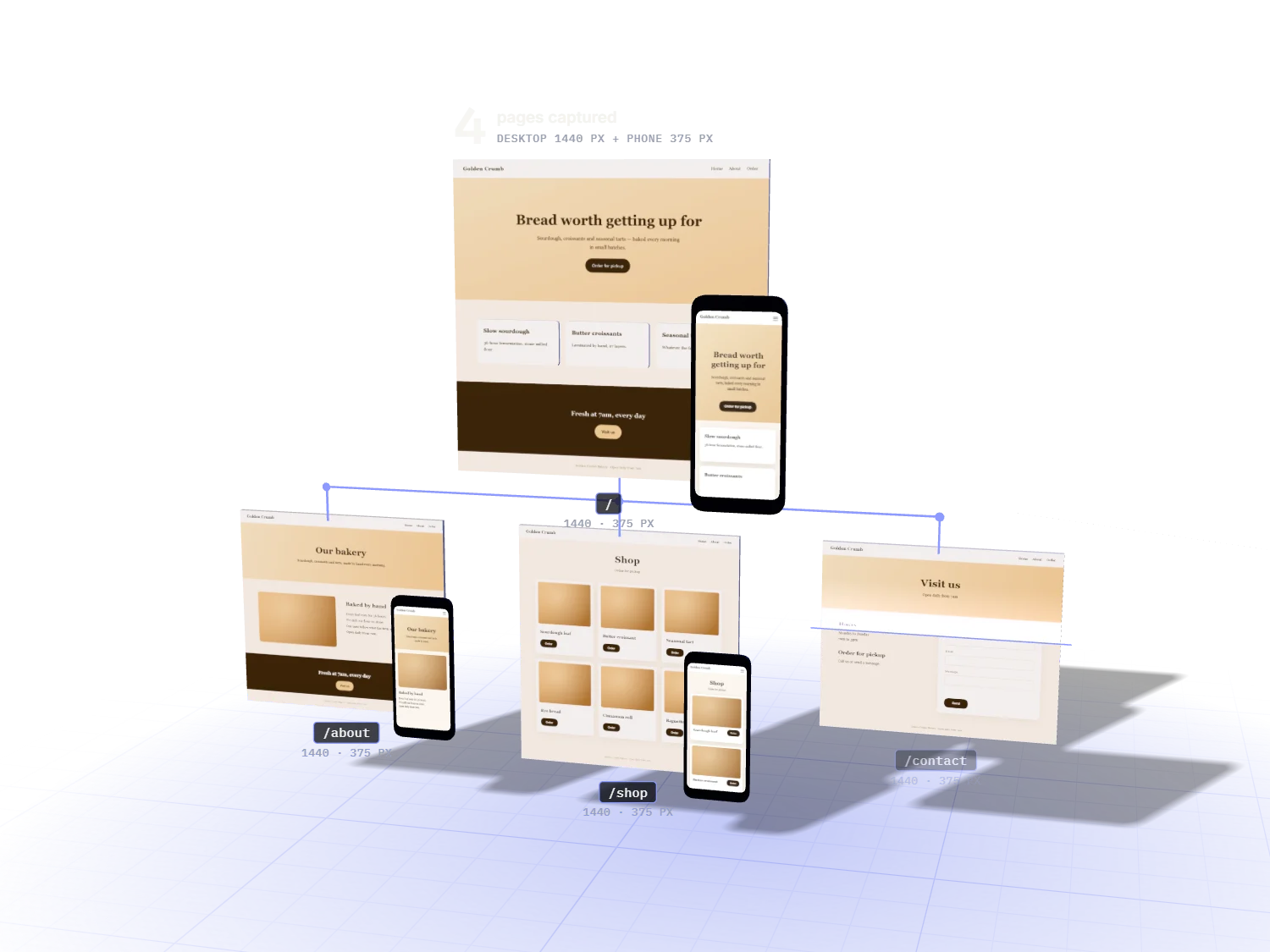
    The demo bakery site as a site map: Home linked to About, Shop and Contact, each page captured at desktop and phone size.
  2. Section

    Not a picture in one block: each part becomes a real Shopify section, with blocks and settings.
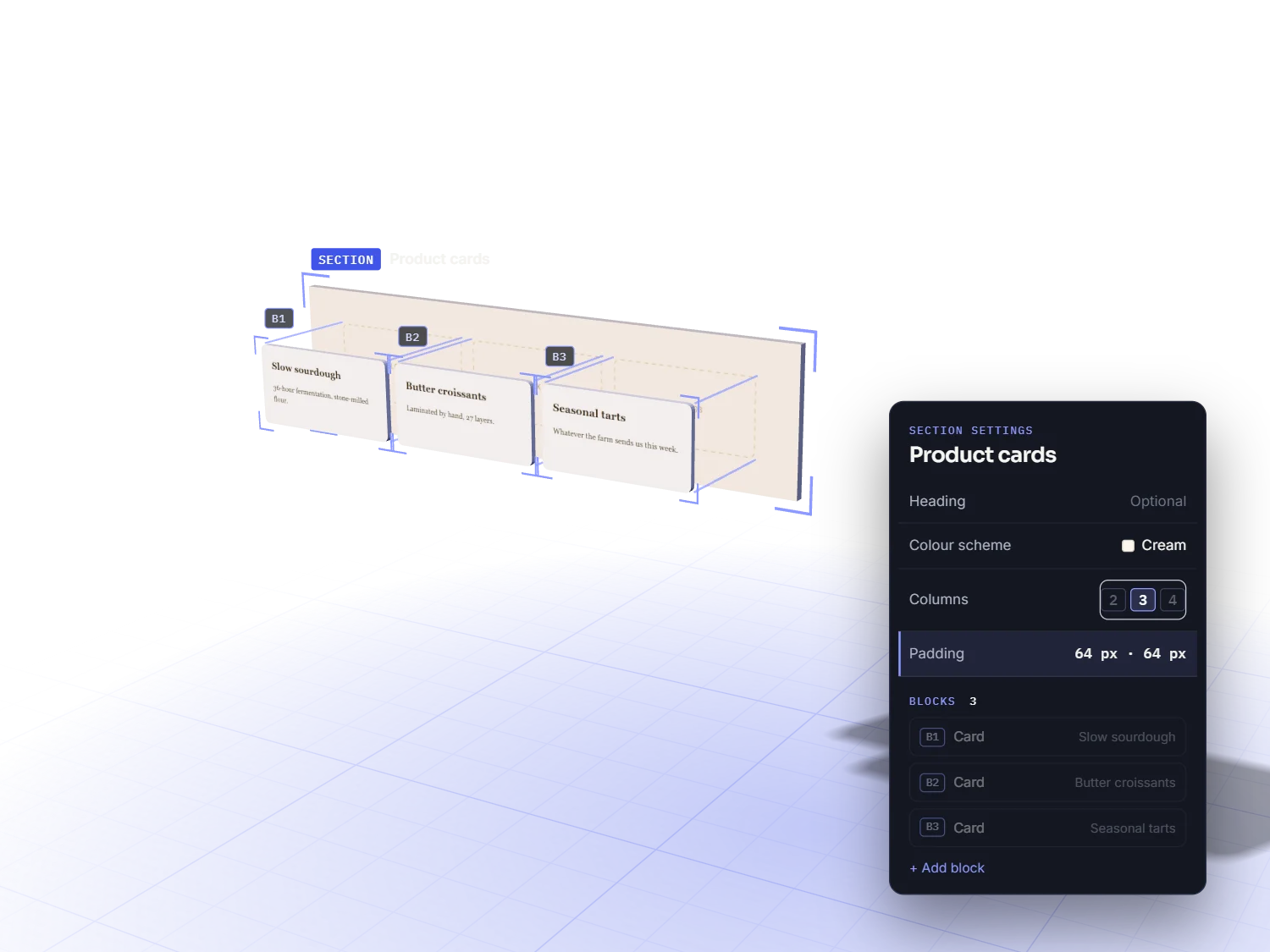
    The product cards section taken apart: the section with its 3 card blocks lifted off, next to its settings: heading, colour scheme, 3 columns and padding.
  3. Rebuild

    Change text, images and layout in the Shopify theme editor. No code.
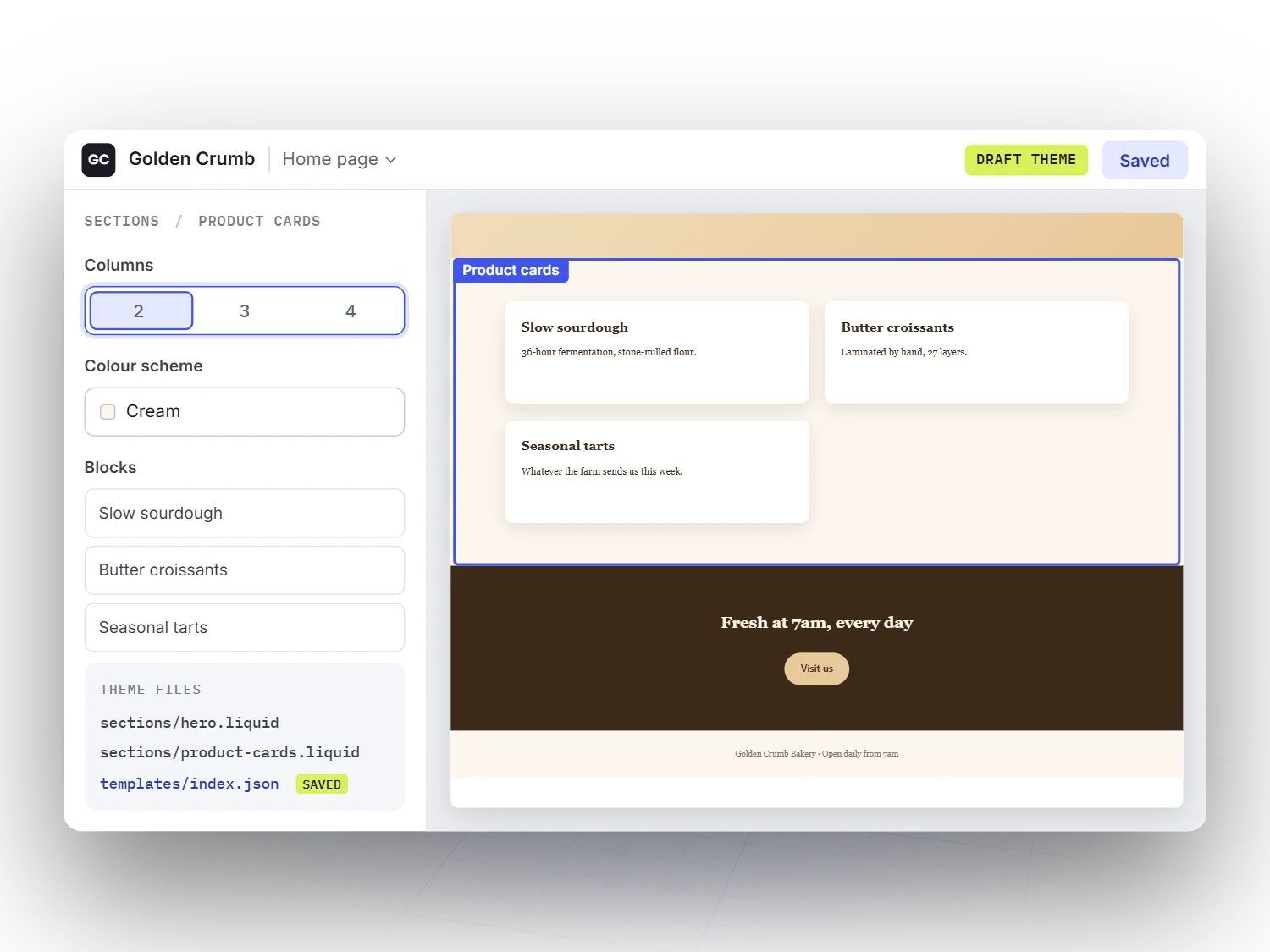
    The Shopify theme editor: the hero heading changed in the settings and in the preview, the product cards set to 2 columns, and the saved theme files.
  4. Match

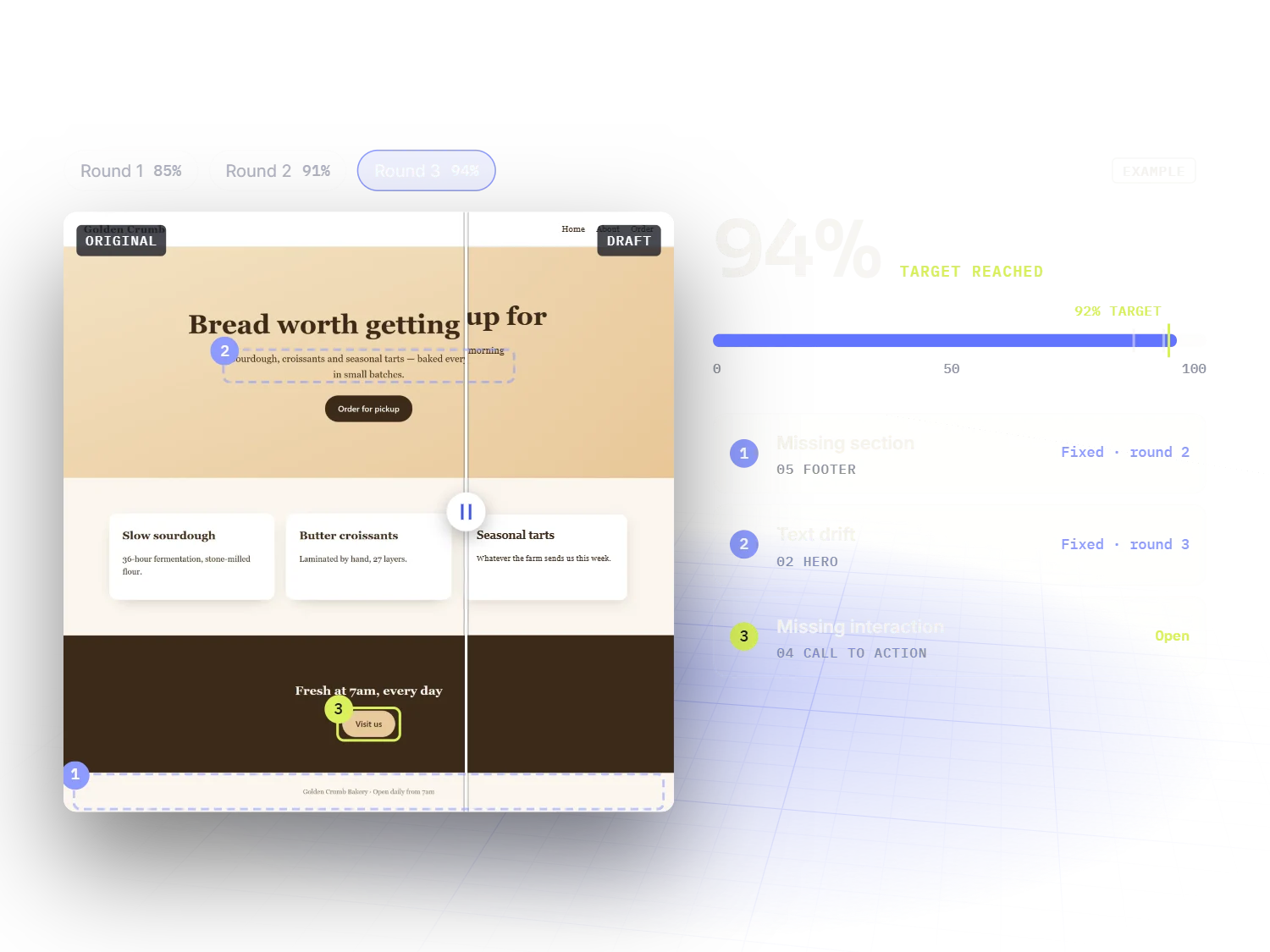
    We check the draft against your original and fix the differences over several rounds.

    Sections present
    50% of score
    Text match
    30% of score
    Working links and buttons
    20% of score
    Example: the original and the draft side by side with numbered differences; the score went from 85% to 91% to 94% over three rounds, over the 92% target.

02The check

See how closely your theme matches.

After each fix round, the draft is checked against your site, section by section. The target is a 92% match.

Example
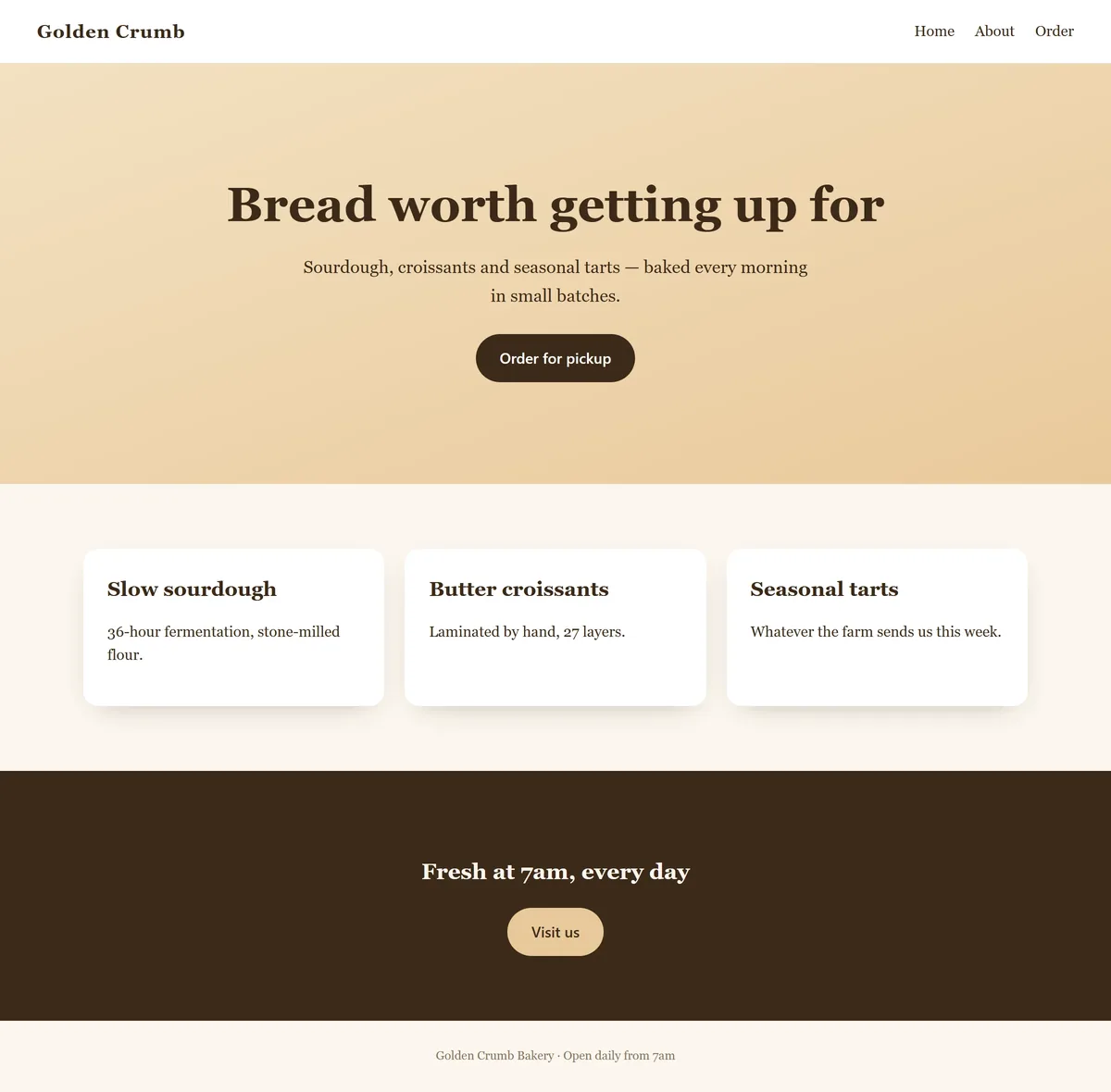
Original
The original Golden Crumb website.
Shopify draft
The rebuilt Shopify draft of the Golden Crumb website.

03What you get

A complete Shopify theme. Yours to keep.

A native Online Store 2.0 theme, plus your pages, menus, and products if your site shows them.

  • Sections and blocks you can edit
  • Pages, menus and products set up
  • A match report for every page

04Draft first

Review everything before it goes live.

Your current theme stays live until you publish.

Themes · golden-crumb.myshopify.com

  • Current themeWhat customers see now Live
  • Golden CrumbDraft from Manasites Draft

Customers see: Current theme

Example In your store, you press Publish in Shopify.

05Pricing

A clear price before the work begins.

Card checkout opens soon.

06FAQ

Good to know.

What do I need to start?

A Shopify store, your website’s link (or its files as a .zip) and a few minutes to create a small custom app.

Only build sites you own or have permission to copy.

What can Manasites access in my store?

Only what the theme needs: themes, pages, menus, files, blog posts, translations, and products if your site shows them.

Not orders, customers or payments. Delete the app to remove access.

Will it change what my customers see?

Not until you decide. The theme arrives as a draft, and your current theme stays live until you publish.

Your current menus aren’t changed.

Is the result an exact copy?

It’s checked page by page, and you review the draft. Booking widgets or custom forms may still need a developer.

How long does a build take?

About an hour for a small site. Bigger sites take longer.

Can I edit the theme afterwards?

Yes. It’s a normal Shopify theme: edit it in the theme editor, or hand it to a developer.

Your design is ready. Let’s make it a Shopify theme.

Turn your website into an editable Shopify theme, checked against your original.

Start a build